Not everyone wants to spend 40-plus hours grinding through every mission, side activity, and collectible just to see what the finished version of San Andreas looks like. That’s exactly why the GTA San Andreas save game community has stayed active for over two decades. A ready-made savegame lets you skip straight to a fully unlocked Los Santos, San Fierro, and Las Venturas, with every storyline closed out and every reward already sitting in your inventory.
This guide walks through what a 100% savegame actually contains, where to get one safely, and exactly how to install it without breaking your game. We’ll also cover the differences between save types, common mistakes people make, and what to do if the file doesn’t load.
Visit Now: https://gtasanguide.site/
What Is a GTA San Andreas Save Game File?
A GTA San Andreas save game is simply a snapshot of your progress, stored as a single file the game reads every time you load a slot. On PC, these are named things like GTASAsf1.b through GTASAsf8.b, with each number corresponding to one of the eight save slots inside the game.
Because the file format hasn’t changed since the original 2004 release, a save created by someone else on a clean, unmodified copy of the game will usually load just fine on yours. That’s the entire reason this community exists. Someone plays through everything once, uploads the result, and everyone else gets to skip ahead.
The catch is that not all save files are created equal. Some are genuinely 100% complete with no shortcuts taken. Others use cheat codes or modified stats to fake the appearance of full completion, which can cause glitches later on, especially during the final mission or while interacting with basketball courts and gym equipment. We’ll point out how to tell the difference further down.
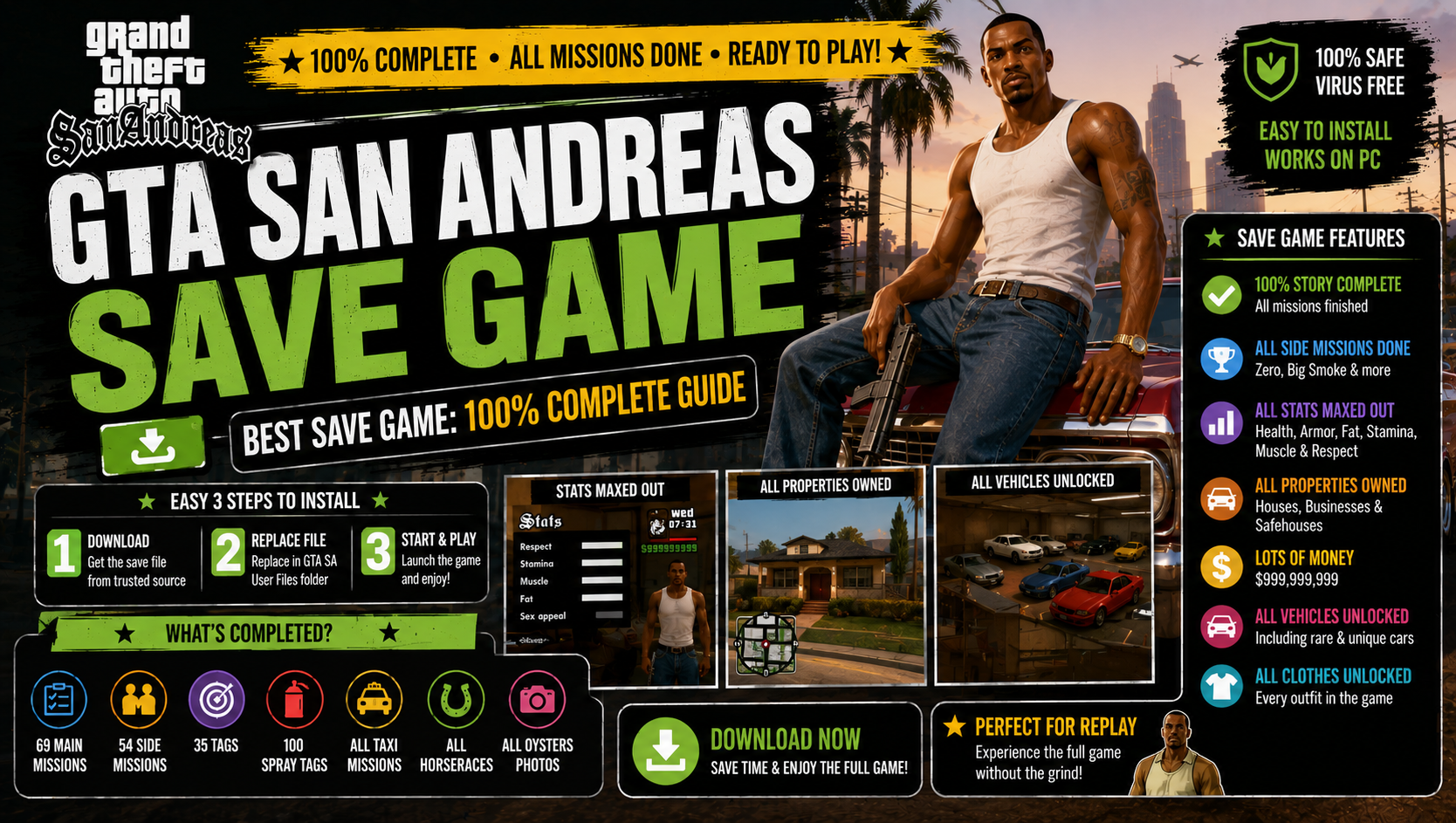
What’s Included in a 100% Completed Savegame
A properly built GTA San Andreas save game at 100% should include every one of the following, since this is what the game itself checks before it shows that completion percentage on your file:
- All story missions completed, ending with “End of the Line”
- Every side mission finished, including Vigilante, Paramedic, Firefighter, and Taxi Driver to the required level
- All 50 Tags sprayed across Los Santos
- All 50 Snapshots, 50 Horseshoes, and 50 Oysters collected
- All driving, bike, boat, and flying school tests passed
- Every unique stunt jump triggered at least once
- All gang territories taken over
- All girlfriends maxed out, where applicable
- Every property and safehouse purchased
- All weapons and clothing unlocked at the relevant stores
| Feature | Typical 100% Save | Cheat-Based “Fake 100%” Save |
| Story missions | Fully completed | Often skipped via cheat triggers |
| Collectibles (Tags, Snapshots, Oysters) | All collected naturally | Sometimes force-flagged |
| Player cash | Realistic or capped at $999,999,999 | Frequently inflated unnaturally |
| Stat values (Stamina, Driving, etc.) | Maxed through gameplay | Sometimes set beyond intended limits |
| Risk of glitches | Low | Higher, especially near basketball courts and gyms |
If you’re downloading a save purely to explore the open world, either option works. If you plan to keep playing missions afterward or care about a clean completion record, stick to files that explicitly state “no cheats used.”
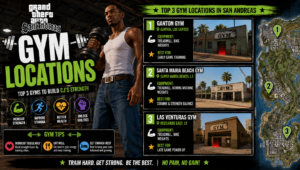
Read More: GTA San Andreas Gym Locations, Muscle, Stamina & Driving Skill — Full Stats Guide
Where to Download a Safe GTA San Andreas Save Game
The save file format itself can’t carry a virus, since it’s just stored game data and not executable code. That said, the website hosting it absolutely can serve you something harmful through ads or bundled downloads, so where you get a GTA San Andreas save game matters more than people usually assume.
A few things worth checking before downloading from any site:
- Look for a clear changelog or description listing exactly what’s completed in the save
- Check the upload date and download count; popular, long-standing files are far more likely to be clean and tested
- Avoid sites that force you through multiple redirect pages or download managers before giving you the actual file
- Prefer direct .zip or .rar downloads over installer-style .exe files, since a real savegame never needs to be “installed” through an executable
Established modding and savegame community sites have been hosting these files for years with detailed stat breakdowns for each upload, which makes it easy to compare a few options before picking one that matches what you’re looking for.
How to Install Your Savegame on PC
Installing a GTA San Andreas save game is one of the simplest things you’ll do with this game, but skipping a step here is the most common reason people end up confused when nothing shows up in-game.
- Back up your current saves first. Copy your existing save folder somewhere safe before adding anything new. If you’ve never saved before, just start the game, get through the opening cutscene, and save once manually. This creates the save folder so there’s somewhere for the new file to go.
- Download and extract the file. Most saves come zipped, so extract the .b file (for example, GTASAsf3.b) to your desktop first rather than running anything directly from inside the archive.
- Move the file into your save folder. Copy it into the correct GTA San Andreas user files folder (locations listed below) and overwrite an existing slot if prompted, or place it in an empty one.
- Launch the game and load that slot. Open GTA San Andreas, go to Load Game, and select the slot number matching the file you copied in.
- Confirm it loaded correctly. Check your stats menu to verify completion percentage, cash, and skills match what the save description promised.
If the file doesn’t appear in your load list at all, the most likely cause is that it landed in the wrong folder, or your game version doesn’t match what the save was created on.
Savegame File Locations by Windows Version
Where the GTA San Andreas save game folder sits depends on your version of Windows. On modern systems, it’s almost always this path:
C:\Users[YourUsername]\Documents\GTA San Andreas User Files\
Older systems and legacy installs sometimes use a slightly different structure:
C:\Documents and Settings[YourUsername]\ My Documents\GTA San Andreas User Files\
If you installed through the Definitive Edition or a Steam/Rockstar Games Launcher copy, the folder name is usually identical, just located under whichever account profile you’re signed into. Searching “GTA San Andreas User Files” directly in Windows search is the fastest way to locate it if you’re not sure.
Read More: GTA San Andreas Best Weapons Guide & Locations
Common Savegame Types Compared
Not every GTA San Andreas save game floating around online serves the same purpose. Knowing the difference helps you pick the right one instead of grabbing the first result you find.
| Save Type | Best For | What to Expect |
| 100% Completed, No Cheats | Players who want a legitimate full clear to explore freely | Realistic stats, all content unlocked, stable performance |
| 100% with Modded Extras | Players who also use vehicle or weapon mods | Custom cars in garages, sometimes bundled with a specific mod list |
| Mid-Story Saves | Players who want to skip a specific tedious section | Partial completion, useful for jumping past repetitive missions |
| Speedrun-Style Saves | Players curious about minimal-playtime completion | 100% with very low in-game days passed |
Troubleshooting a Savegame That Won’t Load
A handful of issues account for almost every problem people run into with a downloaded GTA San Andreas save game:
- Wrong file extension showing: Windows sometimes hides file extensions by default, so double-check the file is actually named with a .b ending and hasn’t been renamed to .b.txt or similar during extraction.
- Game version mismatch: Saves created on the original 2004 PC release don’t always behave identically when loaded on the Definitive Edition, since the underlying engine changed. Stick with saves that say what version they were made for.
- Corrupted download: If the file size looks abnormally small (less than a few hundred KB), the download probably didn’t complete.
- Traffic or basketball court glitches after loading: This is a known long-session quirk in the original game’s engine, not something caused by the save itself, and is more common in saves with very high in-game hours logged.
- Game won’t detect any saves at all: This usually means the file went into the wrong folder, or the save folder hasn’t been created yet because you haven’t saved manually even once.
Conclusion
A GTA San Andreas save game is the fastest way to experience a fully unlocked San Andreas without putting in the dozens of hours the story and side content normally demand. The process itself takes minutes: back up what you have, drop the new file into the right folder, and load it up. The only real decision is picking a save that’s actually been completed properly rather than one stitched together with cheats, since that’s what determines whether your game stays stable afterward.
Whether you’re after a clean 100% completion to explore at your own pace, or you just want to skip past a section of the story you’ve already played through once, the right save file gets you there without any of the grinding.
FAQ’s
Is downloading a GTA San Andreas Save Game safe?
Yes, the save file itself only stores game data and can’t run code on your PC. The only real risk comes from the website hosting it, so stick to established, well-reviewed sources rather than random file-sharing links.
Will a GTA San Andreas Save Game work on the Definitive Edition?
Not always. Saves made for the original 2004 PC release are built around a different engine than the Definitive Edition, so compatibility isn’t guaranteed. Look for a save that specifically mentions which version it was created on.
Where exactly do I put a downloaded GTA San Andreas Save Game file?
Copy the .b file into your GTA San Andreas User Files folder, which is typically found under Documents on modern Windows systems. The exact path is listed earlier in this guide.
Why isn’t my downloaded GTA San Andreas Save Game showing up in the Load Game menu?
This almost always means the file is in the wrong folder, was renamed incorrectly during extraction, or your save folder hasn’t been created yet. Save manually once in your own game first to generate the folder if needed.
Can I use a GTA San Andreas Save Game and still keep my own progress?
Yes, as long as you place the downloaded file into an empty save slot rather than overwriting one you’re using. The game treats each of the eight slots independently.
Do 100% completed saves include every collectible?
A properly built GTA San Andreas Save Game does, meaning all Tags, Snapshots, Horseshoes, and Oysters, along with every school test and unique stunt jump. Always check the upload description, since not every file labeled “100%” is built the same way.
Does using a GTA San Andreas Save Game count as cheating?
Not in any way that affects your actual gameplay, since it’s simply loading stored progress rather than altering the game while it runs. Many players use these purely to explore the finished map without replaying the story.
Will a GTA San Andreas Save Game cause glitches later on?
Files built with cheat codes or artificially inflated stats carry a higher chance of running into known engine quirks, particularly around basketball courts and gym equipment. A save explicitly marked “no cheats used” is the safer choice.
Can I find a GTA San Andreas Save Game with all 100% content but realistic stats instead of maxed money?
Yes, several community uploads are built this way intentionally, keeping cash and stats closer to natural gameplay levels while still flagging full completion. Check the file description for specifics before downloading.
What’s the difference between a save file and a savegame mod?
A standard GTA San Andreas Save Game just restores progress. A savegame mod usually bundles extra content on top, like rare or custom vehicles placed in garages, which weren’t part of the base game.
Do I need to back up my own save before adding a new one?
Yes, always. Copy your existing save folder elsewhere first, since overwriting the wrong slot with a new GTA San Andreas Save Game means losing your own progress permanently.
Can I use a GTA San Andreas Save Game on Mac or other platforms?
The classic PC save format works on Mac versions running through compatibility layers on the same engine, but console saves (PS2, Xbox) use a completely different format and aren’t interchangeable with PC files.
Why does my player cash show a strange number after loading a save?
Some uploaders deliberately set cash to the maximum value the game allows, which is $999,999,999. This is normal for many 100% saves and isn’t a sign of a corrupted file.
Is there a way to verify a GTA San Andreas Save Game is genuinely 100% before downloading?
Reputable upload pages usually list a full checklist covering missions, collectibles, school tests, and territories, alongside download stats. Files with detailed, specific breakdowns are generally more trustworthy than ones with vague descriptions.
What should I do if loading the save crashes my game entirely?
This is usually a version mismatch between the save and your game build. Try a GTA San Andreas Save Game explicitly listed as compatible with your edition, and confirm your game itself runs fine on a fresh save before troubleshooting further.